Python Application FAQ
- How to choose a Python version
- How to install a library before launching your app
- How to install a library in an already running app
- Where to find the libraries you need
How to choose a Python version
When uploading your application, you can choose the desired Python version on the second step. Available versions:
| Version | Description |
|---|---|
| 2 | Python 2 (deprecated) |
| 3.8 | Python 3.8 |
| 3.9 | Python 3.9 |
| 3.10 | Python 3.10 |
| 3.11 | Python 3.11 (Recommended) |
| 3.12 | Python 3.12 |
| 3.13 | Python 3.13 |
| 3 | Latest — most recent version with auto-fallback |
Auto-fallback
If "3 (Latest)" is selected and the build fails, the system will automatically retry with the stable version 3.11.
How to install a library before launching your app
By default, our service attempts to automatically detect and download all dependencies required by your code using the pipreqs library, generating a requirements.txt file. However, not all libraries may be found and downloaded, so it's better to generate this file locally on your machine, include it in your code archive, so all dependencies and required versions are explicitly specified, and then redeploy your application.
More about generating the requirements.txt file can be found in this article.
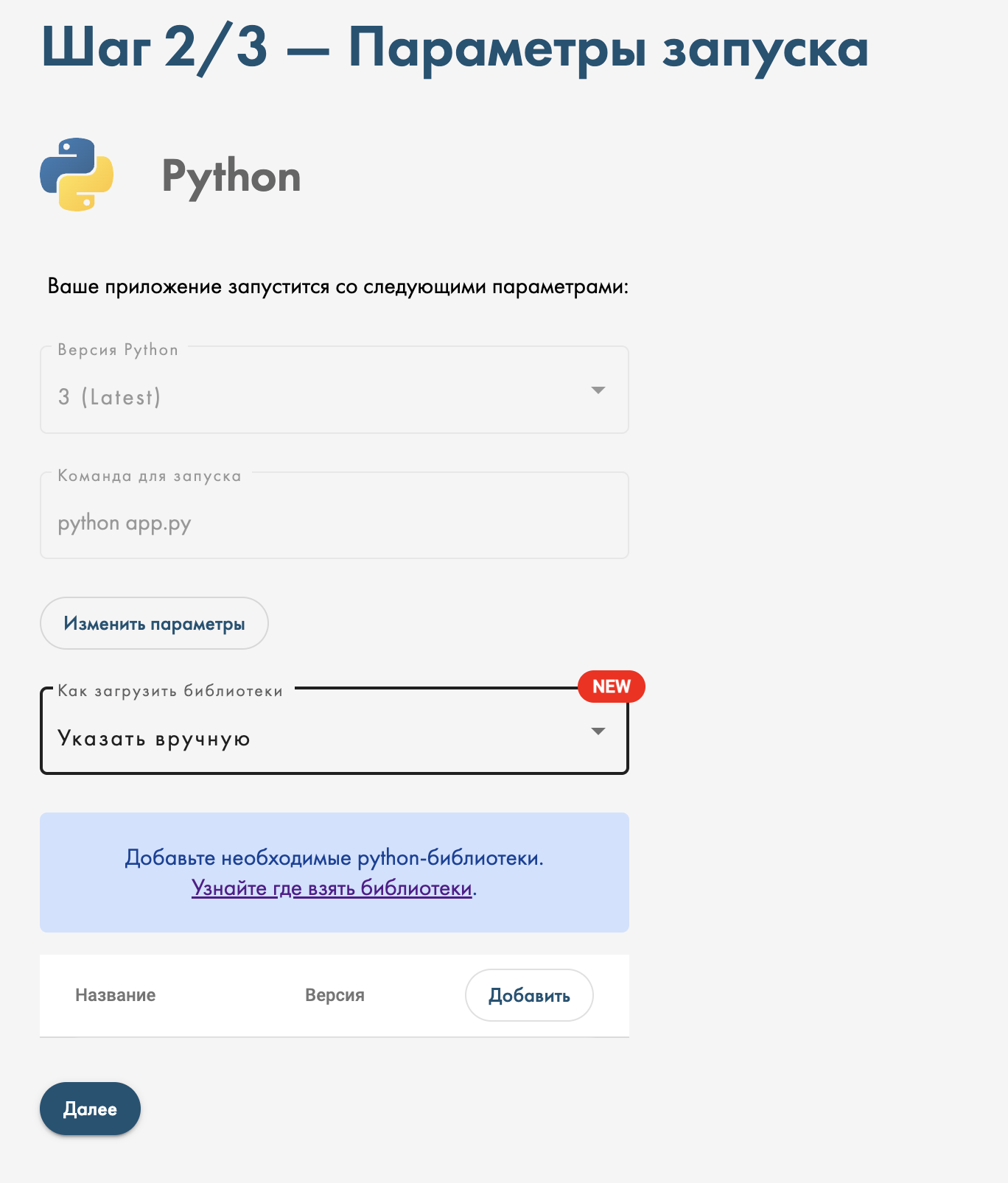
Alternative method (new): you can specify the libraries you need on the second step of the upload process (right after uploading the archive), by selecting "Specify manually" from the "How to load libraries" dropdown menu.
How to install a library in an already running app
If the application is already running and you need an additional library, you can install it by going to the Python tab. The packages installed in this tab are temporary and will be lost during reassembly. For permanent dependencies, use requirements.txt.
Where to find the libraries you need
You can find the library you need with its version on pypi.org. If you don't know which libraries your application needs, either ask the author of the application code you're using, or use the console tool pipreqs.
Didn't find an answer?
Still have questions? Ask us in the Telegram support chat