Building and Deploying Applications
My app won't start! What do I do?
Check each of the points below:
- Make sure your application runs correctly on your local machine.
- Make sure you placed the application code in the archive, not a folder containing it.
- Make sure there are no spaces in your file and folder names.
- Verify that you closely followed the instructions on the first step (archive upload).
- Check that you have funds in your balance in the Balance section.
- Check for errors in the Logs tab on the application page.
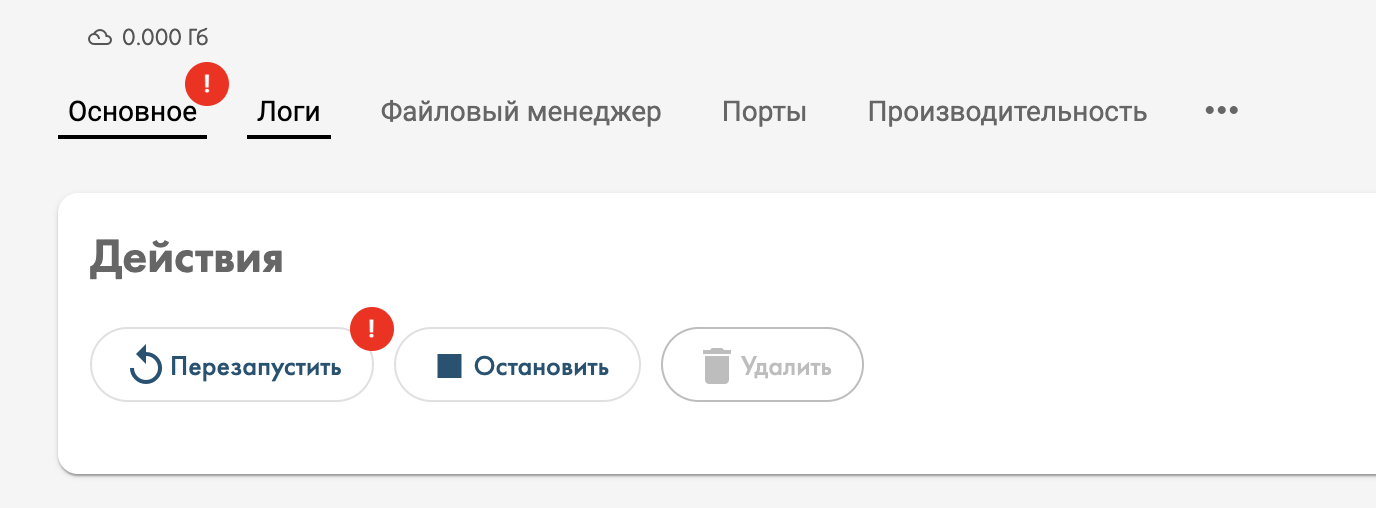
- Try restarting the application by clicking the "Restart" button in the "General" tab on the application page.
If the problem persists — contact us in the technical support chat, we'll be happy to help solve your issue.
How application upload works
There are 3 stages:
- Archive upload
- Content analysis
- Docker container build
After uploading the archive with your application files, our system analyzes the source files and determines:
- application type (Python, Node.js, .NET, GoLang, Dockerfile, x64 Executable)
- executable file
Supported application types:
- Python — detected by the presence of
.pyfiles - Node.js — detected by the presence of
package.json - C#/.NET — detected by the presence of
.runtimeconfig.jsonor.csproj - GoLang — uploaded as a compiled binary (build locally with
GOOS=linux) - Dockerfile — if the archive contains a
Dockerfile, it will be used - x64 Executable — detected by the presence of compiled ELF binaries
Then, the user can adjust the analysis results and, depending on the application type, change some parameters: framework version, run command, etc.
Finally, the Docker container is built and you're redirected to the application page.
Build customization
If you need to do the following before building the application:
- install packages/libraries
- add files
- perform other configurations
You can do this by adding a file called deployf-install.sh to your archive. The file should contain a Bash script with the necessary commands. It will run only once before the application build. Below is an example script that upgrades the pip package manager:
Customizing an already created application
If your application is already built and you need to:
- install packages/libraries
- run your own commands on the server
There are several helper files for this purpose:
deployf-job.sh — runs once and is deleted
deployf-bootstrap.sh — runs once on every application start
deployf-run.sh — for specifying custom application launch logic
You can add one, two, or all files at once through the File Manager tab on your application page. Each file must strictly follow the naming convention and contain a bash script. After adding the file(s), you need to restart the application.
Important
Use deployf-job.sh only for minor actions. Don't try to install libraries with it, as they will be installed outside the root folder and won't be preserved if the application is restarted in the future.
How to get a dedicated address (URL)
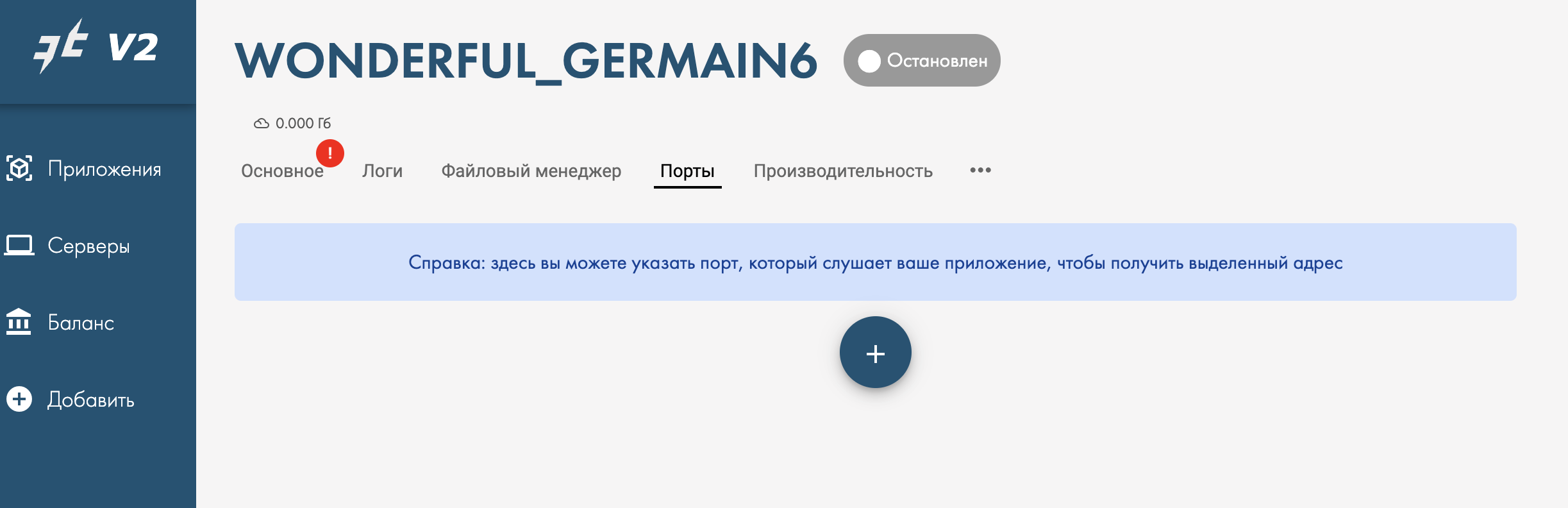
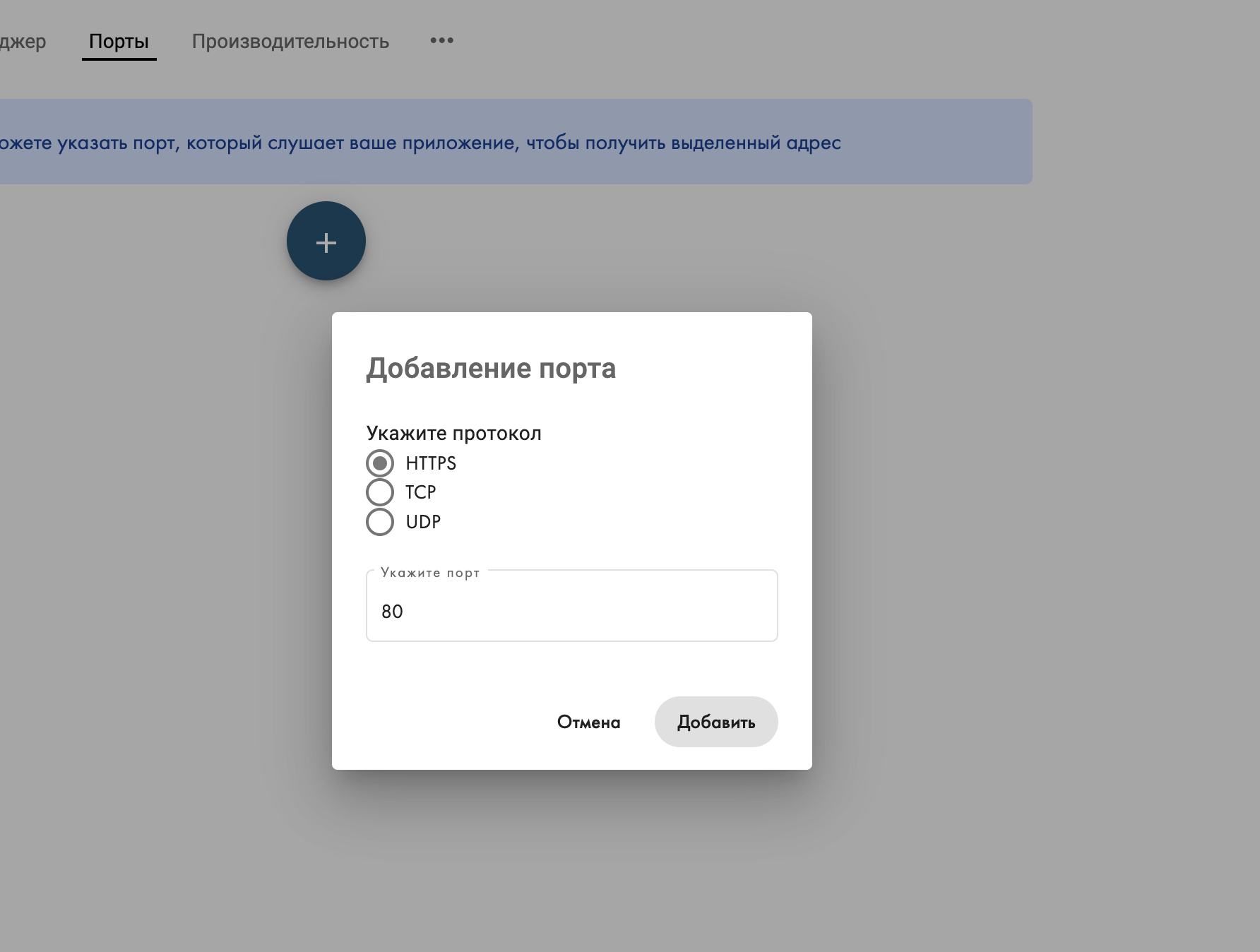
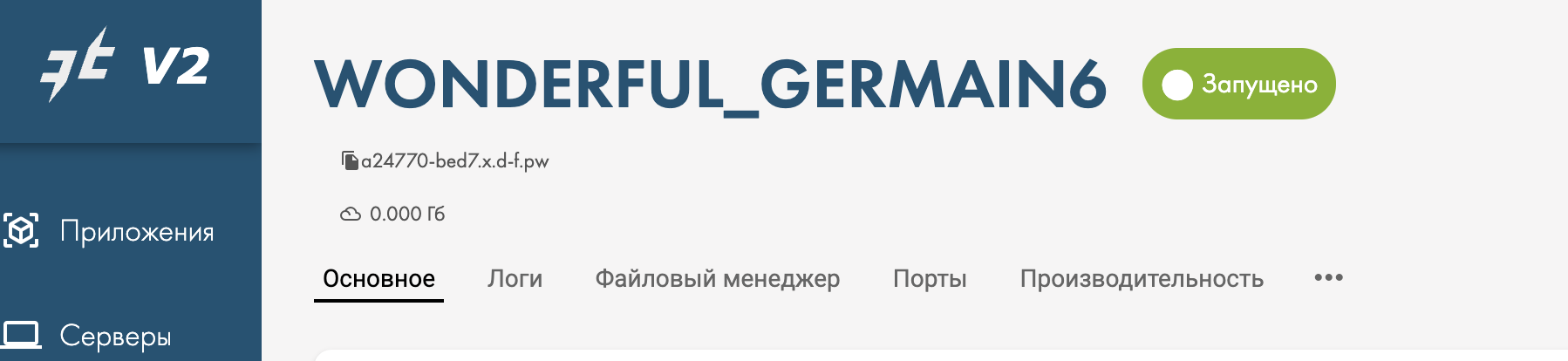
If your application can accept http(s) requests and you need to access it externally, you'll need a dedicated address. To get a dedicated address, simply specify the port your application listens on in the "Ports" tab and restart the application — the address will appear below your application's name.
Important
Do not specify the https port (443), you need the http port. The system automatically proxies traffic to your applications via https through the dedicated address.
How do I find out which port my application listens on? Usually you can find this information either from the logs of the running application, or you'll need to check your application's settings, or search online.
Example of getting an address in pictures:
1. Go to the Ports tab and click the plus button
2. Select the connection type, specify the required port and click Add
3. Restart the application using the Restart button
4. The address appears below your application's name
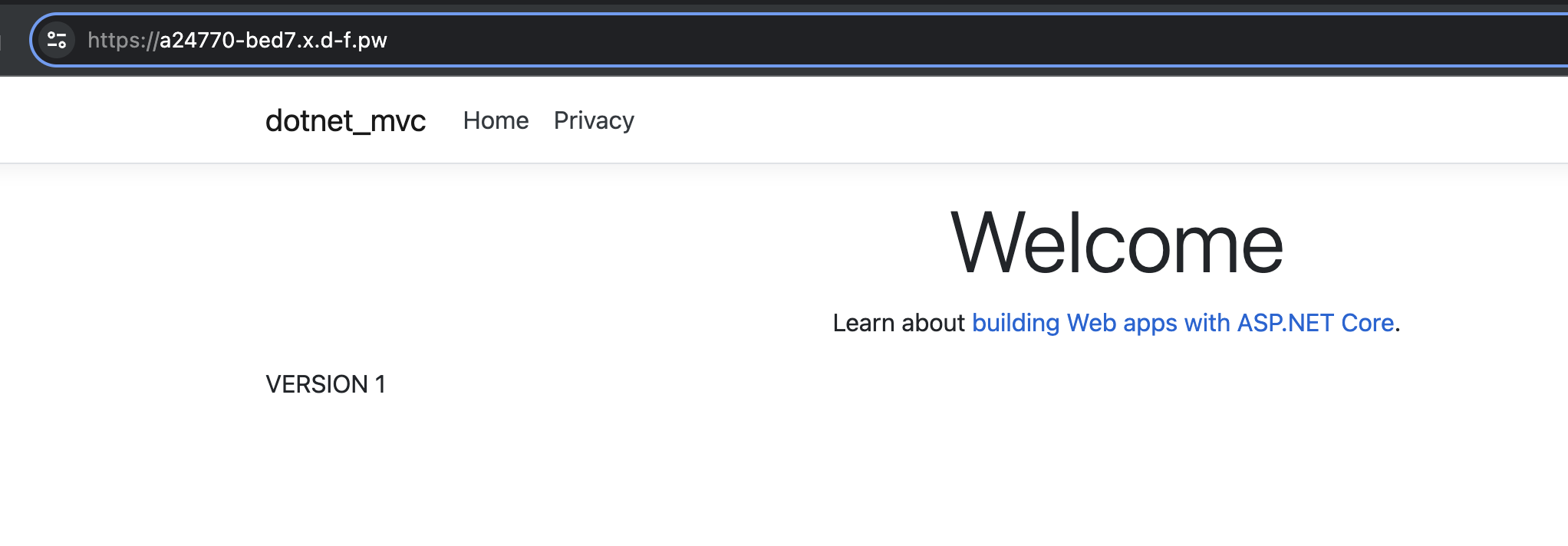
5. Navigate to the address and verify the application works
Why is the "Logs" tab empty?
The logs displayed in the "Logs" tab are periodically cleaned by the system and are meant for you to verify that the application started correctly. If you need to store logs permanently, we recommend implementing log writing to a file or external systems like Seq, etc., in your application code.
Didn't find an answer?
Still have questions? Ask us in the Telegram support chat